How to integrate Compass into your default Pinax project
Lately I’ve been really impressed and experimented joyfully with Compass and Sass.
They make css/layout design fun again for me. Even if the whole tool chain is in Ruby you don’t have to touch any Ruby to use them - don’t misunderstand me: I like Ruby and I’ve been a Rails early adopter; my brain is very well tuned in with Python, that’s all -.
Compass makes the creation of a semantic layout using any of the popular css frameworks (blueprint, 960, etc.) a breeze.
There’s ton of documentation around, for example this is what got me into it a while ago. So today after a furious coding spree I achieved what I wanted.
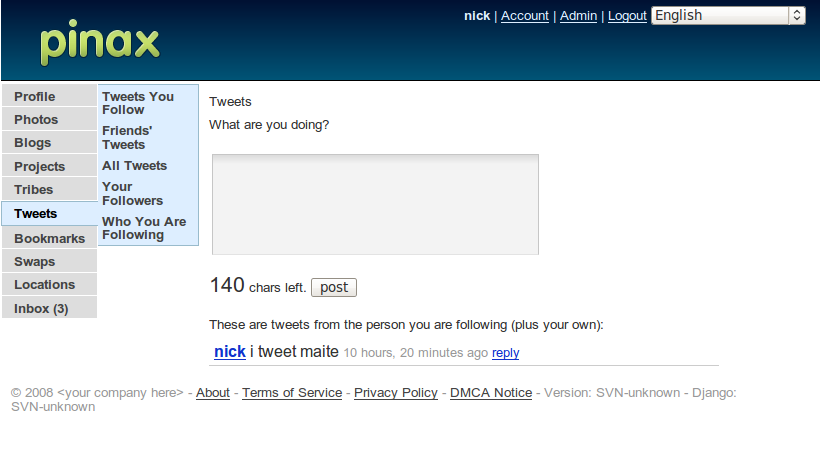
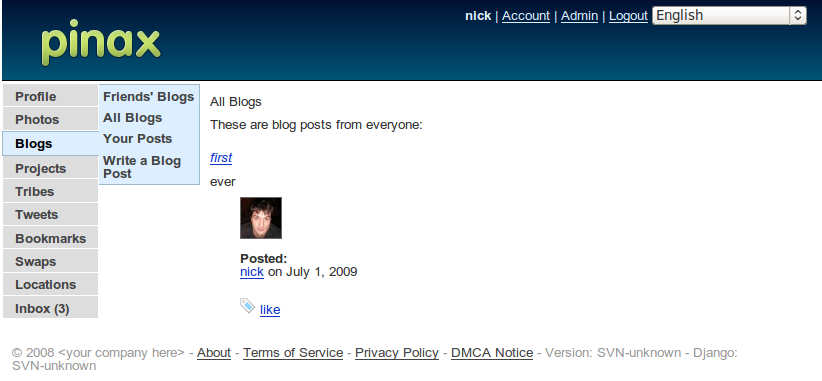
I integrated Compass into a default Pinax project. To prove that I could quickly change the layout in an elegant way I tried to alter the default theme to have the menus vertically aligned instead than horizontally.
I know people love pretty pictures and screenshots so here is a taste of the end result:
And another one:
And if you find any of this interesting be my guest and peruse the newly created github project:
- The master just plugs in Compass without changing anything in the default theme. You can alter the layout by working in the media/sass folder and running compass -u in the media folder.
- The vertical branch includes the changes needed to come up with the vertical menu you see above. By looking into the media/sass/base.sass file you should see how to use Compass directives to include a 960 grid into Pinax.
Please note, this is nothing fancy nor hard, but I expect this integration to be a life/time saver in all my next projects.
2 July 2009