My Emacs Setup for Python Development
Recently I tried to give some other Python editors/IDEs a chance. I tried pydev for a while and found it good enough, but not perfect.
Truth is I have been using emacs for a long time for development. And I found myself quite comfortable to develop Python code with it.
With a proper shell on the side, be it ipython or pycrust I thought my setup was good enough. And in all honesty it was good enough.
Oh and I have to say I am one of those maniacs that use the brilliant, almighty, slightly blaspheme viper. The vi mode for Emacs. Ah the power!
Then recently I read this article and I realized that there might be things I was missing out.
ECB, rope, ropemacs. What a beautiful discovery. So armed with a bit of patience I gave it my best shot and I managed to get it all working. The article above is pretty explanatory but in addition to the things noted there I also added ECB and viper-mode.
I had to tweak rope so that it was able to auto-complete the Python code of the Google app engine. To do that I had to add the root folder of the Google app engine code to the pythonpath property in the .ropeproject/config.py of my project. The result is neat, very neat.
Don’t believe me? Marvel at this beauty!
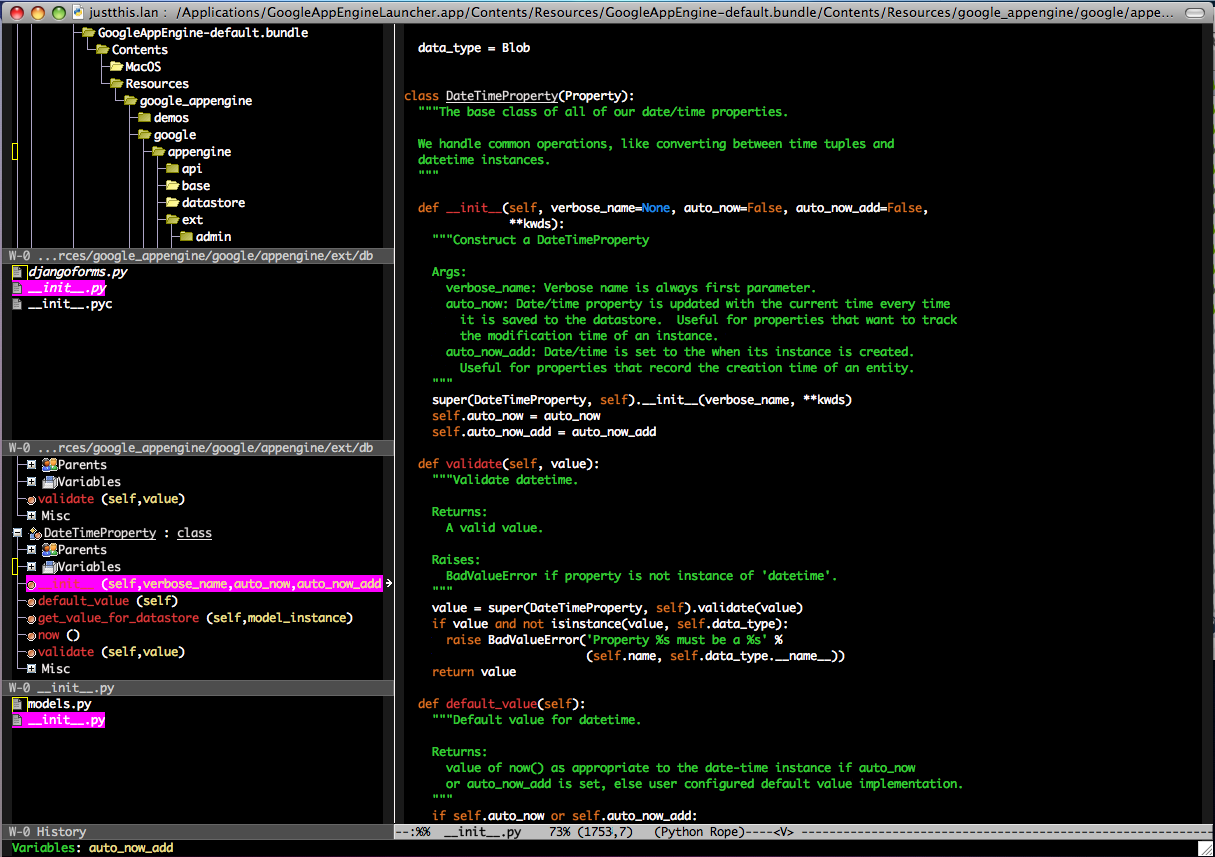
The thing you can’t see in this screen-shot is that this setup has total auto-completion for the full Python library; re-factoring ability, instant inline documentation and much more. I have to say I am excited.
25 July 2008